fbpx
How a memory coach memorizes a large learning project: a 6‑step guide to using memory techniques for faster learning

How a memory coach memorizes a large learning project: a 6‑step guide to using memory techniques for faster learning

As a professional memory coach, I’m sharing the 6‑step process I use to apply memory techniques to any large learning project, using chess as my example.

This blog covers how as a memory coach I will remember the first chess pieces. But we will also look at the process used for both this small goal, and how to continue with memory techniques for a large memorization goal – like improving at chess.

My aim is that is that this process might help you apply this to your own learning goals, be they small or large.

We aren’t all captivated by chess, but it’s a great example to work though : )

Ok, so why chess

I love learning new things – it’s a large part of the reason I train in memory techniques. They give me the speed to learn more with the limited time I have on this planet.

Chess is complex, social, requires a high level of cognitive functioning, strategic and yes, suits some memorization. I think I will love it.

Memory training can improve your short-term memory generally but using memory  techniques to learn quickly and then deeply is why I think everyone should understand them.

How a memory coach tackles a deep memorizing project like learning chess

Even if you are not interested in chess yourself, I encourage you to follow along. What you are really learning is the steps to applying memory techniques for any learning objective.

A lot of memory techniques are about encoding. Converting some information you are trying to learn. Translating something that you don’t yet know into something you do.

If you are new to memory techniques a few basic video’s and blogs might assist first. Try this blog and video about memory palaces and this video on remembering words and names.

The more you encounter different approaches using mnemonics for varied learning topics the more you will know how to translate information for your own next learning goal. Knowing how to apply the skills you are practicing is a skill set in its own, and is what a lot of my memory coaching students come to me for.

So follow along with me here, and if you are not interested in chess, pretend that like me you have woken up this week and realised that chess may bring value to your mind and life.

There are a huge number of areas to learn in chess, and I want to know them all now. But I can’t. Like with everything I need to start at the beginning. Thankfully with memory techniques a complex memorization project that may seem overwhelming without a system is just a series of smaller memorizing tasks.

Obviously for chess (and many things) this memorizing is not the only requirement but is put together with study, play, problem solving and reading.

When memorizing any deep topic I do it in parts.

Each time I memorize some small part of the larger goal I follow these steps:

1. Work out what you need to memorize in this step, gather and order it
2. Consider what type of mnemonics might help you
3. Look up and try to understand the meaning
4. Time to memorize
5. Spaced repetition
6. Repeat with the next part you need to memorize

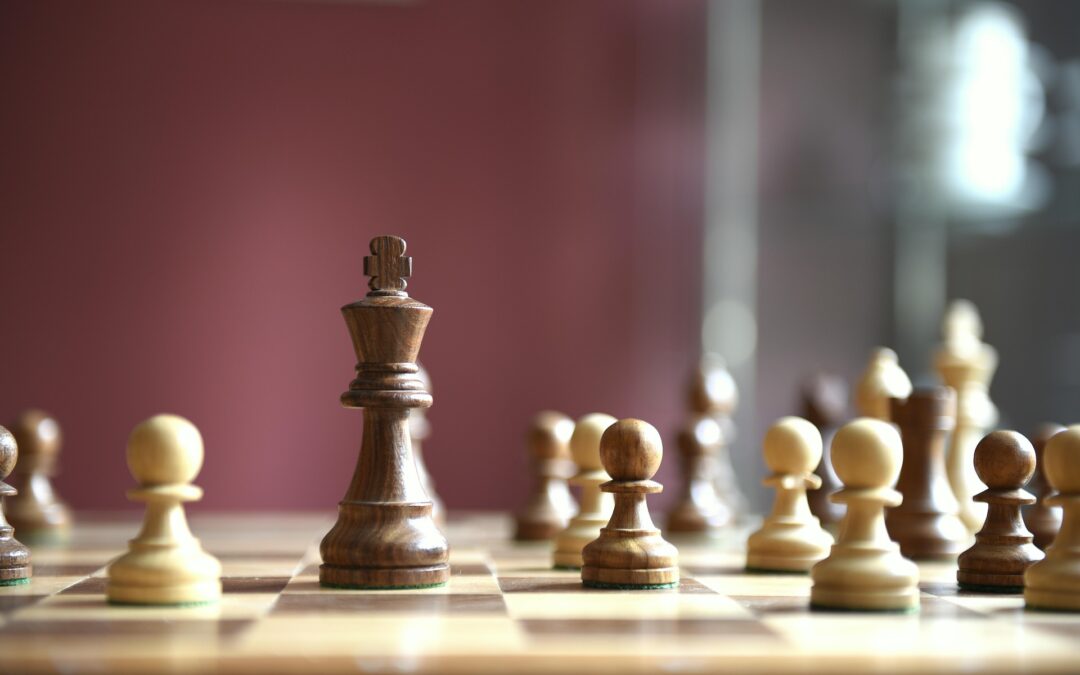
Let’s walk through the start of my large learning project together, with the chess pieces.

1. Work out what you need to memorize as a priority, gather and order the information

Again, this is step one for whatever you are leaning.

Often with a big project you are drowning in what to learn. Prioritising what to tackle first can be difficult. Chess leads itself helpfully and it is quick to identify a few likely things to learn first, but you may have to think a bit harder for your project. For you this may be something like memorizing your subject’s key topics name and a few basic facts about each topic. Or key verbs for a language. Or page one of a book of quotes.

The first thing I did this week is watched a basic video, (I used this Beginner guide from GothamChess on YouTube  which was great). During this I took notes and I decided to memorize the below list first – What the pieces are called, how they move and what they are worth. This is what we will cover in this blog and video.

I also memorized where the pieces start out on the board, the board layout to start and a few extra moves called Castling and En Passant. For simplicity I won’t cover memorising these parts here-  but I just used the same sorts of mnemonics tied to my existing number memory system.

The video I watched went on to cover other beginners game information, parts of which I will memorize later.

Given these absolute basics are fundamental to moving further, I am going to commit these to memory first.

2. Consider what type of mnemonics might help you

Reviewing the type of information to remember is crucial to determine  what mnemonics might help. You don’t use the exact same techniques every time, so it is very useful to get your head around a range of memory tools and techniques.

At first ask questions –  is a memory palace appropriate? Can it provide extra “free” learning as it gives you the order of the information? Is it is text heavy? For this type of information, a memory palace may be a good fit. Also ask yourself – do I need to translate it into a code that I don’t have already? (like if you were learning lots of numbers, computer coding or for me later opening chess moves in a series).

Looking at the initial specific chess piece information, I am not going to use a memory palace.

This is because it’s a pretty simple task, similar to learning a name.

I can use the piece itself and how it looks as the hook to bring back the new information.

If you are new to memory techniques it might help to understand the remembering names concept with this video and blog. Essentially it uses the same theory (the standout feature of the person is the hook to the new information).

3. Look up and try to understand the meaning

Given that chess is steeped in history, this is relevant to understanding the meaning of the pieces. I did a quick read first, both for interest but to also help with coming up with mnemonics.

Doing this with any new memorizing serves two purposes. One – you get a deeper understanding of what you are learning. Two – interesting points often stick on their own and can help you learn the information directly or guide you to an easy or appropriate mnemonic.

4. Time to memorize

Be clear about what you are memorizing using the mnemonic technique. You may find as you go you refine what memory techniques you are using and how so stay flexible and be ready to change tact.

As mentioned, first I will memorize the pieces, what they are called, what they are worth and how they move (except for Castling and En Passant).

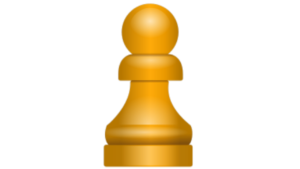
Pawn
Memorize chess pieces

Info to learn: Worth 1 point, they only move forward, they do not move backwards. On their first move (only) pawns can go up 2 places in one go. Subsequently they can only move forward one. They capture a piece diagonally forward one square on both sides. If a Pawn makes it all the way to the end of the board you can promote it to a Rook, Queen, Bishop or Knight.

From my reading pawns were originally the foot soldier, symbolizing infantry and the most numerous piece (each player gets 8).

Looking at the piece itself and starting to put something together in a mnemonic my brain makes up this story:

Start by looking at the shape. I see that the Pawn has the least descriptive shape to it, it looks like infantry, every one needs to be the same/dressed the same/work as one – not unique or jumping out –  which matches the shape. Likewise, it can generally only move forward one move. My brain matches this as well to infantry, limited movement on foot. I explain to myself that when they were first trained as infantry that their superiors may have given them a bit of leeway to stuff up. Hence the two moves forward if they want, but only for their first move. Once the game has started they are not able to leave the war, so they cannot retreat (ie they can’t move backwards).

To remember they are one point I think of the same reasoning, they are the lowest piece in the wargame with the highest supply, so it makes sense that they are only worth one. I actually also use my number system but it is not really needed here given there are not many pieces to learn.

For the information that they capture diagonally I just see an infantry soldier stepping out with one foot on an forward diagonal to aim and shoot.

For promotion I remember that if an infantry soldier makes it to the end of war without capture, they may well be promoted.

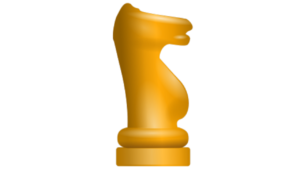
Knight
Memorize chess pieces

Info to learn: It is worth 3 points, it moves in small L shapes (such as up one and over two or over two and up one), it is the only piece that can jump other pieces. They can also go backwards.

This one I can easily get the mnemonic just looking at the piece, it looks like a horse so this easily translates to knight for me.

Likewise, the way it moves makes sense. Horses can jump, so its logical it is the only piece that can jump.

Same with the way it moves in L shapes, this is very agile and not just always in one direction. I spend a moment visualising a knight jumping over two hurdles and then turning and stepping forward one step to make the L shape lodge in my memory.

For backwards, I explain this again with the agility of a horse. Not that it physically jumps backwards but on a course could quickly turn and go in the other direction.

To remember that it is worth 3 points, I used my number system – one version of my numbers 3 is an apple. Horses eat apples, I see one munching happily on one after the game.

Don’t let this confuse you if you are new to mnemonics, numbers are just an image code you learn.

But if I did not have this system I would probably just think ok, what does a 3 look like? First thought, a bum. Yes, we often see the horses bum when it rides, so this makes sense. Seems silly but you will be amazed how the number will come back to you when you are thinking “What is the Knight worth?”.

Bishop
Memorize chess pieces

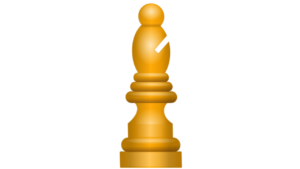
Info to learn: Like a Knight worth 3 points. They can go forwards and backwards diagonally on their own colour as many free squares as it wants in a move.

Historically this piece was an elephant, later in Europe rebranded to represent the religious authority. I can make a story from this to help me remember the details.

The slit or “Mitre” on the Bishop piece is to represent the hat worn by a bishop. I also can kind of see it as a tusk. And it is on an angle.

Elephants can wander far…and this matches how this piece can move as far as it wants (diagonally) on their own colour.  How do I remember diagonally? Here I had to stop and think for a second. I found two hints – the slit is on an angle, and also an elephant’s tusks are often angled outwards, (when I googled the image they often point out on a diagonal). Together these hints helps me remember how this piece moves.

Again 3 points. Here I can use the same points as for the knight – the elephant is another animal, so seeing the Bum for the shape of a 3 still works. Likewise for my own number system I see an elephant eating an apple (apparently elephants love apples!)

Rook
Memorize chess pieces

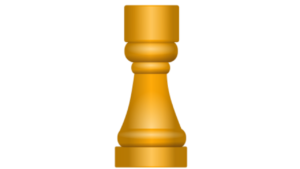
Info to learn: Worth 5 points, can go vertically up and down, and horizontally left right, as many free squares as they like in a move.

Historically a chariot, an armed war vehicle, then later in Europe it  evolved into a Castle or Tower. It looks like a castle turret to me, but the right word these days is Rook. If I put these bits of information together, I am looking for an image to remind me of the name Rook. The first think that reminds me of is the word chook – the Aussie slang for a chicken. I see a castle turret with chooks wandering around inside it to help me remember it is not a castle but a rook.

For the direction, a few things spring to mind but the one I settle on is that as I am looking down on the chooks I see that they only peck along in a plus symbol shape +, I wonder if their feed has been put down in that shape.

For the 5 points I use my existing number system, but without this I would likely do something like imagine that outside the castle gate is a knight with two pawns (which I see as a horse and two infantry waiting at the gate worth 3 plus 2).

Queen
Memorize chess pieces

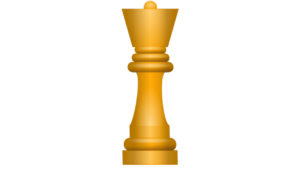
Info to learn: Worth 9 points as the most powerful piece. Can go in any direction as far as they like. In this they are a like a Rook and a Bishop combined.

I am likely to remember how they move given I have learned the other pieces and understand a queen  is the most powerful moving piece. It also makes sense. In history a queen has great power,  often the most influence and can move fluidly and in many directions through society to advise the king. And we will see shortly that the king is all powerful within a limited range.

9 points, this piece is worth almost two Rooks. If the other information is solid, that will likely be enough to recall the points score without a more specific memory image.

The point system generally makes sense when thinking in historical  terms about war –  Infantry at the bottom, then a knight with their horse, an elephant / bishop worth about the same, then a castle is the higher on the scale followed by the queen and finally the king.

King – worth the game
Memorize chess pieces

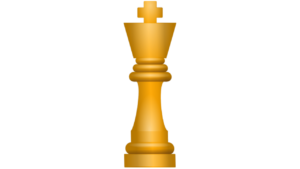
Info to learn: Capture loses the whole game, a King can go in any direction they like (like the queen) but is limited to move only one square. Protect at all costs.

This also just makes logical sense, and with the other pieces remembered and after thinking about the pieces historically it is easy to remember that while the King is all powerful and can move in as many ways as the Queen, like in many true historical settings the king is trapped in a ‘royal prison’.

Special moves
There are some other special other moves including “castling” with a King and Rook moving at the same time and a Pawn special move called “en passant” . I memorized these while looking at a moving board example rather than with the above techniques, because they are multi move and slightly more complex. Once you understand the pieces base characteristics this visualization is an easier way to memorize these moves.

5. Spaced repetition

This is the last step to solidify your newly memorized information.

In the case of chess this simply means get on and get playing, and when you need to pause and try to remember how the piece can move, try to lean on your stories you made, linking  to how the piece looked.

Apart from Chess, other learning without such a natural revision as playing the game, spaced repetition needs something else.

Many times, this is planned revision. For this, I use flashcard software such as Anki as these are ideal tools for this sort of learning. You can watch this video and read this blog if this suits your learning task.

6. Repeat with the next information you need to memorize

Take your time with deep learning projects like chess, try to really understand the newly memorized material before jumping ahead to the next task.

Move on to the next information task you have identified. Repeat step 1 to 5.

Even if it is for the same overall  learning goal “ie learn chess”, the next task may need to use different underlying memory techniques.

For some memorizing this last step may even involve going back into a memory palace where you have stored information and layering the next deeper levels of information into that old palace.  I am planning on writing a detailed blog and video on this soon.


Hopefully following the overarching strategy helps you get you started on your next big learning project. While chess may not be on your journey, we all can use a little help along the way : ) For more, watch also my large learning projects video 

As always if you’d like assistance, reach out via email or book in for a 1-on-1 memory coaching session together.




Get exclusive memory tips delivered to your inbox >

Why you’ll never run out of memory palace locations

Why you’ll never run out of memory palace locations

There is a common concern I hear from memory coaching students “ I have so much material to learn, I won’t have enough memory palace locations”.

This blog is an advanced tutorial in using memory palace technique, also known as the method of loci to help you find enough locations. If you are new to the method of loci, it might be worth checking out this Memory Palace blog and this basic Memory Palace video first.

Thankfully, running out of memory palace locations is not really something to worry about.

Here are 5 reasons you will not run out of loci for your memory palace:

  1. You can put memory palace locations closer than you think.
  2. You can have multiple pathways through one memory palace.
  3. Imaginary palaces and the movies can work just as well.
  4. Each location has a “mini pathway of locations” around it.
  5. You can basically use anything you know as a memory palace.

Let’s look at each of these in a bit of detail.


1. You can put memory palace locations closer than you think

When you start out using memory palaces it is common to place a few locations in a room. Go in the front door, use the coat rack, the shoes and on into the next room.

But as you get more comfortable using memory training techniques you can actually put locations much closer together without issue. Some of my earlier memory palaces from when I started are 20 or so locations, one I made last week is around 340 locations long.

It’s natural to have to fight being lazy – to want the hard “making the pathway” bit to be over, so we rush over space. Other times it can be hard to think of locations.

What helps me come up with more locations is to use “tasks” to find loci I otherwise would not have naturally found.

Think about your kitchen.

If you are making a pathway there and you are struggling for locations, give yourself an imaginary task first, like to make toast. It is likely this thought process will give you many more locations you would not have thought about otherwise. Want more? Coffee and toast. And a glass of water. All the places your eyes and hand would go to in those processes are potential locations. Now make your pathway through the kitchen.

This is especially true of places you know well. Places from long ago are harder as detail does fade over time if you are no longer visiting that place.

Walking around the physical place (or taking a video of the palace for when you create the path) tends to help find more effective loci for memory retention as well.


2. You can have multiple pathways through one memory palace

Much like the “task” to find path method above, this is something that I do in places I know well to get “alternate journeys”

Normally in a palace I first have my “standard pathway journey”. But once that is solid, I create other pathways based on a task.

For example, a classic alternate journey would be to imagine I have someone coming over to dinner tonight.

What are the things I have to do? Mow the lawn, take the bin out, put the laundry in baskets and away in my bedroom, vacuum, mop, blow the leaves from the front and back porch, and wipe down the tables and re arrange the chairs.

Making a task-oriented pathway like this tends to lead to a very different journey and personally works for me.

Even if the paths cross, I tend to choose different locations from original pathway and can do this consciously when needs be. Sometimes there are some locations are nearly the same from the two pathways. Just as long as the first pathway is well known first, they don’t get confused for me.

I have a feeling that when I first started out multiple pathways may have caused me issues, but if you are confident with how memory palaces work, give it a go for yourself.


3. Imaginary palaces and the movies can work just as well

If you have watched a favorite movie 5 times, or spent 30 hours binging the Bridgerton series, you can use those places as well. I always feel like my time has been less wasted if I convert a good binge into a palace.

Imaginary palaces can also work well. This could be a world in Minecraft, Clash of Clans, or by using software specifically for the purpose. In fact, I find when working with memory coaching students they often describe their pathway and for the lesson we are both using it…I have never been there, just listened to their description and imagined it while they described it.


4. Each location has a “mini pathway of locations” around it

This is often an “ah ha!” moment for advanced memory enthusiasts. Let’s say you have 50 key topics, each with up to 10 points you need to learn. You don’t need 500 locations only 50.

It is why often students ask “can I use the memory palace technique for complex information?” I can tell you it is a skill well worth attaining.

This is an advanced topic and needs it’s own blog and videos. I will aim to do a series on it but I’ll briefly, you can practice by:

At each location, start by putting the key topic as an image. Then link the 10 points.

This takes a bit of practice and there are some things to get used to. The 10 points are not all on top of each other but in a little pathway from the original location. They need to be sequential to be remembered.

Sometimes I link them all in a story, sometimes not, it depends a bit on the information. They don’t each need to have “clear” locations (just the first main one), but they come away from the first location in a pattern that makes sense to the “story” the words create for you.

This memory palace strategy is something I often teach in 1-on-1 memory coaching sessions.

Sometimes it helps me to remember the key image first and then come back and add the other detail. I.e. put all 50 key points each in a location on a pathway in a memory palace. Once they are solid, go back and add the other detail to each point. If it is really complex information, I might do the learning in multi tranches.


5. You can basically use anything you know as a memory palace

Often this is for shorter pathways, but this seriously is anything you know.

It could be a work of art, a book cover, how you organize your wardrobe. I find the front cover of a book is a great place to “store” the 10 facts about that book you want to remember.

Look at the cover and use locations on the picture/words etc. to attach what you want to recall about the book. When you want to bring back the info of the book, in your mind can just look at the cover.

This also works if you are studying something like anatomy. Some students I have coached use the pictures of the body as the palace as they can visualize it from the study notes. There is no set rule that applies here, see for yourself how it goes.


I hope that helps allay your memory palace fears! You can check out my YouTube video on these advanced memory palace methods, or book a memory coaching session with me to master advanced memory techniques.

Get exclusive memory tips delivered to your inbox >

How to use Anki for long term learning

How to use Anki for long term learning

Memory techniques are great for getting information quickly memorized for the short term.

But for any long term learning (the kind of learning you want to keep for years), regardless of how the information went in in the first place, you are going to need some spaced repletion.

Many of my memory coaching students ask me, “Now that I have memorized this, how often do I need of go back over it to make sure I have it in the long run?”

As a memory coach and 2× Australian Memory Champion, I rely on spaced repetition for my long term learning, and Anki is my favourite way to do it.

This is why I think Anki is great for long term memorizing.

Anki is flashcard software that takes the guesswork and labour out of when you have to review something. It intelligently automates showing your info on ‘cards’, and determines how often and which card to show using a set of rules and a based on your feedback, including how long ago you started studying that deck and how easy or hard you found remembering each card. There are a number of settings to allow you to tweak and alter the setup to change when Anki will next show you the card.

It makes sure you see what you need to see when you need to see it.

There are other options out there, this is just the one I like. And no, I’m not sponsored by Anki.

What do I download or install?

Firstly, there are 4 varieties of the Anki software, sorry about that : )

At first this appears  cumbersome, but once you get your head around how they work together they are an awesome set of tools.
Even though this seems complicated, stick with me –  it is worth the effort.

And except for the iOS app, they are all free!

All of the following Anki tools work on different platforms and synchronize together into one account, where your data and details are held centrally, making it easy to keep your spaced repetition and flashcard review consistent.

To allow synchronizing you will need an Anki account, which itself is free.

If you use an iPhone and want to use the iPhone app (which is the only part of Anki that has a cost) then get that first, as you will create your account there. Then you can download the Desktop app or access the web browser version with that login.

All downloads are grouped together on the official Anki downloads page.

Make sure you get the official apps as there are copycat programs with similar names.

Anki mobile phone / tablets Apps

There are 2 varieties of the mobile App – Apple and Android. Both are the  full flash card program, with some differences due to the platform. The Apple iOS mobile app has some more features reflecting that it is a paid app.

Paid App – Apple iOS phones and iPads – Called ‘AnkiMobile’, this app cost  $25 USD (at time of writing) due to the work involved, but it is worth it if you use an iPhone. Has a few more features than the free Android app.

Anki for iphones

FreeAndroid phones and tablets – this is a free app, downloaded from the Play store, called ‘AnkiDroid Flashcards’ because it runs on Android.

Anki for android phones

Anki desktop App

This is the version that you install to your PC, and the good news it is available on three different operating systems –  Windows, macOS or Linux.  It is the best tool to import /  upload your study details  into the Anki ‘deck’ (A Deck is a set  of flash cards with your info on them). Because you have a full keyboard it is also an excellent platform for typing in new cards if manually creating or correcting them. It is quicker to search or  use large decks, and the larger screen makes complex cards and images easier to view. It is free. 

 Anki desktop app

Anki on the web

AnkiWeb is a free companion to the other versions of Anki. You can use your existing account to log into it from any web browser, and it can be used to review your cards, synch and edit your data. It is free.

AnkiWeb


So which Anki version do I need?

I mostly practice my flash cards on my phone – eg waiting for an appointment or on a bus, or when you have some spare time out and away from your PC.

Occasionally I practice my flash cards on the Ankiweb page from my web browser on my PC, just because I am sitting at my computer and I want a big screen and full keyboard.

Very occasionally I use the Anki Desktop App on my PC if I have a new deck of flash cards I want to upload. This is the only place I can easily upload them as an import.

So how do I actually use Anki? Getting started

Great question!  Now you have downloaded and installed some of the pieces above, what do you do to turn it into long term learning?

First you need to know that Anki uses ‘decks’ of ‘flash cards’ to show you your lists, where you see a prompt on the ‘front’ of a card, and you try to remember the answer. Then when you click the card it shows the ‘back’ of the card with the correct answer.
Using these decks is the key to getting spaced repetition learning, it’s the kind of system that supports long term memory rather than short term cramming. When you open a deck, Anki decides what to show you based on a number of rules and how well you remembered each card when you last reviewed them. This process will become clear later.

1. Create an account

If you are using an iPhone and wish to buy the FlashCard app for that, then set it your account there first. Once you have an account, log into all of your Anki software with the same account. Eg login to your mobile phone first, then login on the app, then login on the web. That way the logins can be saved and ready to use.

2. Add your ‘Decks (groups of cards with your info) into Anki.

There are a few ways to do this.

A simple but time consuming way is to manually add your lists into a new Anki deck, one card at time. Eg type them in on the desktop or mobile app. See the section ‘Typing in new cards using the mobile app’ for more details on that.

You can add your own lists in bulk with importing (using the Anki Desktop app) – see the section below ‘Importing to Anki using the Desktop app’  for more details on that.

Another way is to synchronise a ‘shared deck’, which is a publicly available memory list, such as common French words, or biology topics. See the section ‘Getting publicly shared decks’  for more details on that.

3. Start using your new decks

I will use the phone as the example, but reviewing works much the same on the phone, the PC app or on the Web.

On your phone, open the Anki app, if you uploaded the cards on a different device first sync there and then in your phone.

Click on the deck you want to review and start running through the ‘due cards’.  These are the cards that you are due to see today, and Anki intelligently selects them for you.
You read the prompt on the ‘front’ of the card and try to recall the answer. You then touch the card to flip it over and see the answer on the back. Depending on how well you remembered it you select from one of 4 buttons down on the base of the screen. Eg  ‘Easy’ or ‘Hard’ or ‘Again ‘ to see it again. Your choice is used by Anki to calculate when to show this card to you again.

When you are done looking at your due cards, click synchronize to sync your study session across all versions of Anki, including AnkiWeb, so you pick up from the same place wherever you log in.


Typing in new cards using the mobile app

Typing new cards in AnkiMobile on iOS is quick and touch-friendly.

Tap the + button at the bottom of your deck screen to add a card.

Pick your note type (like Basic) and fill in fields like Front and Back using the keyboard.

Hit Add to save it to the deck, then study away. Super simple on the go!


Importing to Anki using the Anki Desktop app

So this is a little tricky, and does have good instructions from Anki themselves. I will summarize them here, but head over to this link from Anki if you need more.

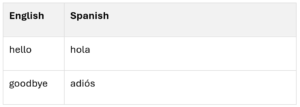
Prepare your .txt or .csv file with front/back fields separated by tabs, commas, or semicolons. You can create this in Excel or Google sheets and then save as csv. A Spanish vocab example:

arrange data ready for Anki deck upload

Open Anki Desktop, open your deck (create a new one if needed), then go File > Import and pick the csv or txt file.

Map your columns to fields Front and Back in the dialog box.

Preview and if ok click Import.


How do you use Anki with memory techniques?

Once you are all set up with Anki you remember your information in the short run however you normally do, for example with memory techniques to speed things up. This is exactly how I use Anki in my own training and in my memory coaching with students.

You can do this as a normal learning session and then upload the information to Anki.

This is what I do if I have a large amount of learning that I am doing on a given day – let’s say learning 50 Japanese foods. I would run through the information first, as in this blog, or this How to remember language video, applying memory techniques. Then I put the new list into excel and upload the “deck” to Anki with a title like “Japanese foods”.

This way I’m combining mnemonics and spaced‑repetition flashcards, which is incredibly powerful for long term learning.

I will then proceed to go over what I have learned when Anki prompts me. Starting that very day.

You can also add random cards or decks manually when you learn something new.

This is what I do if I am reading a book and look up a new word I don’t know the definition for. I pick up my phone and quickly add the “new card” to the appropriate deck. On the front of the card is the new word, and the back the definition. I quickly make up an image for the definition, as per this video and this blog. Then I let Anki take the burden of when I have to go over this again to move it to my long term memory.


Common questions from memory coaching students


Can I just see the whole deck if I want to review them all?

Yes. Finish the due cards in that deck, click into that deck and click custom study. Then choose an option. Here, amongst other choices you can choose “cram seen cards with certain tags”.

Can I still use a memory palace to remember the information?

Yes. I often have information that I have learned stored in a memory palace. The palace location isn’t the only association to the learned information, just an extra one. Even though Anki will shuffle the cards (unless you choose to reset them), as each card shows up for review I aim to see “where” the image is along with the “answer image”. It tends to help me learn the new information especially if it is a large set of data.

Will I always have to “see” the image/story if I have remembered the new information using memory techniques?

No. When cards are new, and often for a while, it is normal to need the mnemonic to bring back the remembered information. But over time as you see a card you will find yourself saying the answer without seeing the image. You don’t need to fight this, the information is moving to your long term learning. You only need to fight to see the image if you need it to recall the information.

For more on spaced repetition and Anki check out this YouTube video. If you are after some 1‑on‑1 memory coaching with me, you can book a session here on my website and I’ll help you with memory techniques tailored to your goals.

Get exclusive memory tips delivered to your inbox >

Memory techniques for language learning

Memory techniques for language learning

Memory techniques can vastly speed up language learning. This is especially true for remembering long vocabulary lists, where using mnemonics rather than rote learning can mean getting through a lot more words in a day. You will also find higher accuracy the following day as fewer newly learned words drop off than with traditional learning. This shortens the overall time for both cramming and long-term learning.

For this blog I look at a sample group of Spanish fruits and vegetables and explain how you can remember them using memory techniques and recall if a word is masculine or feminine. I also touch on how you can remember the new words for the longer run by using spaced repetition.

To learn a list of language vocabulary, follow these 3 steps:


1. Gather and sort the information:


    • Get all the words together
    • Think about any grammatical rules and understand them
    • Google how each word sounds
    • Consider if remembering the words in a certain order would assist
    • For Spanish (as there is masculine and feminine),separate these words into those two lists


2. Use image association mnemonics and place the new words in a memory palace for languages.


Image association:

For each word visualise an object or objects that represent it and make another image that represents how the foreign word sounds. Place the objects for one word in one location in a memory palace. See below for examples.

Why a memory palace:

There are three reasons I would likely use a memory palace for language vocabulary like this.
First, being in a memory palace helps my brain get an extra association. This assists your brain to find the right word, almost like bringing up the right computer “file”.
Second, this file also identifies they are feminine words. You look at the word in your mind and depending on where it is you know if it is masculine or feminine.
Thirdly, memory palaces act as a complete file you can access anytime. This is great if you are somewhere bored and you want to do something productive and can’t look at any other device. You may be surprised how often this happens, for example when waiting your turn, taking a walk or trying to get to sleep.

At this point, if you don’t know how to use a memory palace check out this blog, and this video.

Note – if you prefer not to use a memory palace:

You can also memorize without a memory palace if you prefer, you just do the same visualisation image association technique without attaching it to a place. When you go back over your remembered information you just try to see the image you are remembering (ie: an apple) to help you get the corresponding foreign word.

To remember the words are feminine without a palace you can add another clue in the image. For example all feminine fruits were up high in the air and all masculine down on the ground. There are lots of tricks like this, think fire and ice, black and white or colour.


3. Used spaced repetition for long term learning.


Once the information is in your short-term memory you want to make sure you go back over it so it moves to long run learning. For this you can either make a note yourself and run back through the information periodically or use an app to assist you. I am a big fan of Anki for my review, you can see this blog and this video for an explanation of how to use it.

Below is an example of steps 1,2 and 3 in action.


Step 1:


I’ve collected a short list of Spanish vocabulary (fruits and vegetables) and sorted them, and have decided to do feminine words in a palace first. I read through the list to get a feel and to see repeating word sounds, noting the grammar, that feminine is La beforehand and ends in a (generally) as well. I also oogle how to say the words as I am more interested in speaking rather than writing, and I note the pronunciation next to the words.

Step 2:


I choose my palace, someone’s place that will remind me the words are feminine. My mum’s house, or a feminine friend I know. Then I run through the list making associations. I say each foreign word and think what the components sound like to me and select an image for each component, and then attach those images to the meaning in a story. This happens in a new location for each word.

These are my associations, with my accent, they are chosen to try to help me find the right pronunciation. You would likely have completely different images that would spring to mind.

  • Apple (la manzana)​ – mahn-SAH-nah

At the front steps to this house: I see a man who is under an umbrella which is blocking his face. The ‘u’ in umbrella reminds to pronounce it mahn not man. His face is blocked from full view so I cant see if my friend sara is there. As I look closer I say “nah” which means no in Australia. My friend Sara is not there, but I see there is a big apple instead.

  • Orange (la naranja)​ –nah-RAHN-hah

At the front door there is a big orange, I go to stick a straw in to drink from it. The orange comes alive and animated and says Nah, runs away and karate kicks me saying Ha.

  • Strawberry (la fresa)​ – FREH-sah

Inside the door there is a sideboard. I see my friend Freya in a freezer holding a plate of strawberries.

  • Lettuce (la lechuga)​ leh-CHOO-gah

On the couch edge I see a lettuce, I chew a bit of it, and realise I am biting the head of a Galah (an iconic Australian cockatoo), you could instead use something else you know, like Lady Gaga.

  • Cauliflower (la coliflor)​ koh-lee-flor

This one is pretty easy. I am up to my friend’s carpet for the next palace location, I see Cauli in florets on the floor. The first part is slightly pronounced more like call (in my accent) but with a bit of care this should be fine.


Step 3:


Spaced repletion helps to solidify your new learning and over time move it to long term memory. Once it is in your long term memory you no longer necessarily “see” the images anymore, you just now know the word.

First on the day of memorization you will need to go through it a few times, if there are errors check that your image matches the foreign word. You might want to google the pronunciation again to see if you are still saying it correctly and adjust any images accordingly. Initially I had the strawberries in the freezer only, and needed to change it to add Freya to get the start of the word right.

The following day run over this list again and then in a few days time, in a week and so on.

Using some flashcard repetition software like Anki takes the guesswork out and uses data to tell you what word to recap and when, depending on how easy you found it in the past.


That is it! Practicing these memory techniques for language learning makes remembering lists of new vocabulary super easy.

My YouTube channel also has a video explaining this blog Memory hacks – how to remember any language faster – Spanish.

As a professional memory coach in Australia, I help language learners like you with personalised memory training for languages. Book a session here.

Get exclusive memory tips delivered to your inbox >

Memory training to improve memory

Memory training to improve memory

Can you really improve your memory via memory training?

I am often asked this question by those who think they have been born with a bad memory and believe it’s for life.

The good news is, yes — memory training is a skill anyone can learn. Many people assume memory athletes are born gifted or are using a “magic trick” to recall large amounts of information quickly. In reality, there’s a basic formula that works to improve how fast you can remember. You can learn how to learn faster.

I’ve seen this first-hand through my own training as a memory athlete, and in the progress of my students. With consistent effort, you can experience memory improvement by following three steps:

  1. Learn memory techniques
  2. Regularly practice memory techniques
  3. Don’t stop when you think you are not improving

Before diving deeper, let’s clarify the difference between using memory techniques to learn a specific area faster compared to memory training that makes your overall short-term memory faster.

Using memory techniques to learn something faster

Memory techniques like the Memory Palace Method (or Method of Loci) can help you recall something specific. A speech, exam notes, or new vocabulary. These methods are faster than rote learning, but a single use memory technique won’t automatically make your general memory faster.

Think of this as using a powerful tool for one project. It improves your learning speed compared to rote memorization, but lasting speed and flexibility come from consistent memory training.

Memory training for a faster memory

Memory training builds your ability to remember new short-term information quickly. A foundation that helps you learn anything faster. It takes time, repetition, and patience, but becomes a lifelong skill.

In the beginning, this training can feel a bit pointless. You remember vast amounts of information for the day, (and only for that day) as you work to improve how quickly you can remember short term information. This is intentional! You are working on speed of short-term recall not long-term learning.

Treat this process like going to the memory gym. Just as lifting weights builds physical strength for everyday life, memory training strengthens your learning ability.

We lift weights at the gym not because hauling around a dumbbell is inherently useful, but to improve our life. So that we will always be able to carry the groceries, kids, grandkids, do the gardening or whatever other physical thing we need to make us happy.

(Side note: When converting short-term learning into long-term retention, spaced repetition is needed. That’s a topic for another blog.)

For a faster memory, follow these three steps:

Step 1 – Learn memory techniques

Start simple, train to remember images and names.

To get started, you’ll also need to understand memory palaces. You will use them for practicing to remember images and later other disciplines like words and numbers.

Reuse your palaces and pathways each training session. You can use a pathway once per day. Learn more in Can I re-use a memory palace?

Over time, add words to your training. Later add numbers and cards. Expanding the “disciplines you remember” helps you to have wider skills and adaptability for real life learning. As you improve and your training sessions get longer you will need more memory palaces, as you only use a pathway once each session. Build up a list of palaces you use for quick reference so running out of pathways does not stop you training.

Step 2 – Practice memory techniques

Schedule consistent training time. The more you can do the faster you will improve, but even just 10 minutes a day makes a difference. I train on a few different memory training sites but my recommended go to’s are:

    • Memory League – Short sessions with level rewards and connection that keeps you motivated. You can train alone or compete, it has a supportive online community and online competitions.
    • IAM – A great place for building endurance training or competition preparation (and it’s free!). If you are looking to be a memory athlete, the IAM also hosts in person competitions.
  • Analyzing your mistakes is a great way to improve, so don’t just finish a session and click away. Take the time to consider what you could have done better.


  • Step 3 – Don’t stop when you think you are not improving

  • Progress isn’t always linear. Like building muscle, memory improvement includes plateaus and breakthroughs. Stay consistent. Remember, small improvements add up. Over time, your memory capacity and speed will increase. You will hit roadblocks, sometimes you will think you are going backwards. It is part of the process, trust it and keep at it.

If you do get stuck, coaching can help so please reach out. Sometimes an external guide can see what’s holding up the progress and get you going again.

So yes, you really can improve your memory for life!


    •  
    •  

Get exclusive memory tips delivered to your inbox >

Memory coach guide to longevity

Memory coach guide to longevity

Memory training for longevity and lasting brain health – a New Year’s resolution

Protect your mind as your years advance

I am serious about longevity, I’d like to live a really long time.

But just as important is the quality of life of any extra years. I want to keep all my marbles, my cognitive function and physical capabilities for as long as I can have them, and I want a brain that keeps learning.

Those who know me well know I approach this holistically, which manifests in an array of ongoing behaviours that support brain health and memory.

Daily habits that protect your memory

Eating healthily, avoiding alcohol, regular fitness – both strength and cardio, sleeping enough (this one is a personal struggle), ongoing new learning, nurturing healthy relationships, and of course – memory training for longevity. These habits are the core of my lifestyle to protect my mind and body health over the long term.

From the outside this list can look obsessive, but inwardly I am pretty sensible about these daily decisions.

It is not all or nothing. One “bad” move doesn’t mean I need to throw in the towel for that day.

Maybe it is my economics degree talking but everything in life has an opportunity cost. Opportunity cost being the something else we could do with our time, what else we could spend our money on, or what better food we could put in our mouth. Something isn’t always inherently good or bad, it is all relative to the alternatives.

An apple may be good, a fresh fruit salad is better.

As the year draws to an end, New Years resolutions start.

If you are someone who wants to continue learning and improving, especially in cognitive function and memory capabilities, I hope you will consider adding a better memory to your resolutions list for the new year. A small, consistent memory training habit can do a lot for how well you can remember and learn in the long run.

Memory training for longevity

Memory training is oft neglected in a list of resolutions, but if you are looking for a long and healthy life I’d say it is essential. From a longevity perspective my memory training is about giving myself the tools to keep learning, adapting and enjoying life as I age.

Where to start with memory techniques

If you are new to memory training and don’t know where to start, as a memory coach I usually recommend learning about memory palaces, how to remember names and faces, and lists of words and images (using memory palaces). These are powerful, practical memory exercises that most adults can learn quickly.

A good start for memory palaces is this blog, and this video. For names and faces read this and watch here. There are a lot of how to videos on my YouTube channel.

Once you have the gist of these techniques, it is time to start to do some regular memory training. Many of my memory coaching students come to me and say they learned techniques, got excited but don’t know how to improve from there.

Train, train and train some more. Plot your results and create a training program for yourself. Memory League is a great place for this, and one where many memory athletes are active. It’s where you can turn memory techniques into a structured and fun memory training routine.

You can learn how to improve your memory and ability to learn new information by the endless free resources on the web. If you’d like a helping hand, reach out or book in for a 1-on-1 memory coaching session with me to work towards your memory goals.

My own resolutions

As for my new year resolutions, I am endeavouring to train more myself, and share videos and blogs to assist you to do the same. I want the incredible benefits of memory training and techniques to be more accessible to more people.

I’m aiming for a long healthy life full of new experiences and learnings, retaining as much of what matters to me as I can.


Get exclusive memory tips delivered to your inbox >